How can an Interactive Screen for Classroom improve student engagement and collaboration? These advanced touch displays blend traditional whiteboard functions with cutting-edge technology. In this article, we’ll discuss their benefits, features, and how to choose the best one for your learning environment.
- Interactive screens enhance engagement and collaboration in classrooms, offering multi-user interactivity and support for diverse learning styles.
- Choosing the right interactive screen involves considerations of size, compatibility, software, and budget to meet specific educational needs.
- Ongoing technical support and proper installation are crucial for maximizing the benefits of interactive screens, which are becoming essential tools in modern education.
Understanding Interactive Screens for Classrooms
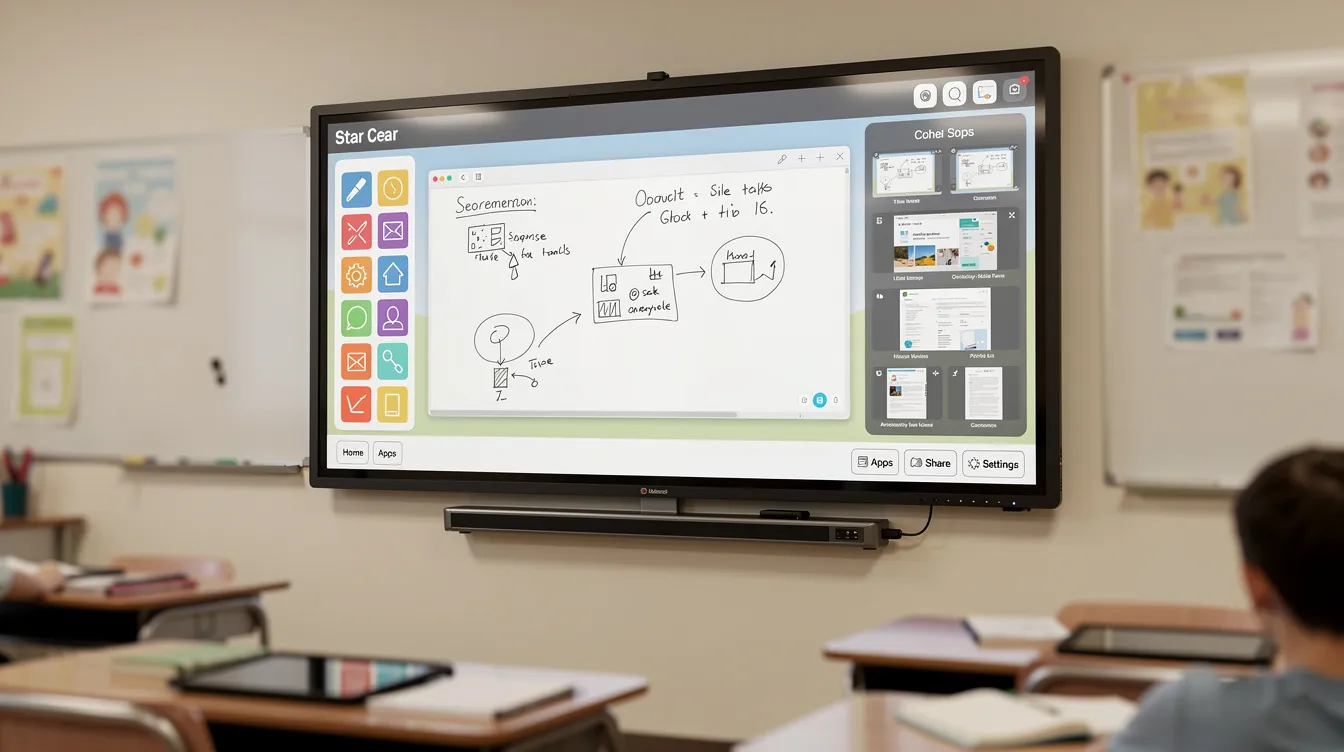
Interactive screens, often referred to as interactive displays, smart boards, or interactive flat panels, are touch-sensitive screens that combine the functionalities of traditional whiteboards with advanced computer technology. These versatile devices respond to touch from fingers or pens, much like a tablet or smartphone, and are designed to enhance student engagement and inclusion. They incorporate ultra-fine touch technology, allowing for a precise and fluid writing experience on an interactive whiteboard and interactive whiteboards, which is a significant advancement over earlier tools.
The evolution of classroom technology has seen a significant shift from the early 2000s when smart boards relied on projectors. Modern interactive displays now come in various sizes, ranging from 55” to 85”, and offer high-quality 4K UHD visuals. Electronic whiteboards and interactive flat panels represent the latest advancements, offering more features and flexibility compared to traditional whiteboards and projectors. These screens not only provide clearer and more engaging visual content but also support eco-friendly operations, contributing to a more sustainable learning environment.
Interactive screens are more than just an interactive display device; they empower collaboration and adapt to various learning styles. Many interactive flat panels are powered by Android, enabling access to a wide range of educational apps and seamless integration with Google Play. They support dynamic lesson delivery and include features such as screen sharing and remote learning capabilities, making them indispensable in today’s diverse and technology-driven classrooms.
As such, interactive touch screens have become a cornerstone of modern educational tools, fostering a more interactive and inclusive learning environment.
Types of Interactive Tools
Interactive tools are transforming classrooms into dynamic hubs of engagement and collaboration. Among the most popular are interactive displays, interactive whiteboards, and interactive touch screens, each offering unique advantages for collaborative learning. Interactive flat panels, such as the SMART MX series, are a solid investment for schools seeking essential teaching tools that support a wide range of learning activities. These panels provide seamless integration with technology and digital tools in education, making it easy for teachers and students to collaborate, share content, and interact in real time.
Digital signage is another versatile interactive tool, perfectly suited for enhancing communication and engagement in classrooms, meeting spaces, and public sector environments. Whether used for announcements, lesson highlights, or interactive activities, digital signage helps create a more connected and informed learning environment. By leveraging these interactive tools, schools can foster student engagement, encourage collaboration, and support a variety of teaching and learning styles, ensuring that every classroom is equipped for the demands of modern education and able to integrate innovative best practices in education.
Choosing the Right Interactive Screen
Selecting the right interactive screen for your classroom can make all the difference in enhancing the learning experience. The recommended screen size for a regular-sized classroom is typically 75 inches, providing a good balance between visibility and functionality. For smaller spaces, a 55-inch or 65-inch screen might be more suitable. Commonly available sizes include 65, 75, and 86 inches, with some brands offering 55-inch models to cater to different classroom needs.
Compatibility with existing classroom technology is another crucial factor. SMART Boards, for instance, are designed to integrate seamlessly with current systems, minimizing the need for extensive upgrades. Additionally, software compatibility is vital to ensure that previously saved documents can be easily accessed and that there are no hidden costs associated with additional licenses. Choosing an EDLA certified interactive screen ensures compliance with Google standards and compatibility with a wide range of educational apps.
Budget considerations also play a significant role in the selection process. While larger screens generally offer more features, they also come with higher price tags. Brands like Viewsonic, Iiyama, Newline Interactive, SMART Technologies, Promethean ActivBoard, and Clevertouch IMPACT Series provide a range of options that can fit different budgets and requirements. Modern interactive screens often include USB C ports for easy connectivity, charging, and data transfer, which can be a valuable feature for classroom use. Evaluating these factors allows for choosing an interactive screen that meets your school’s specific needs and budget constraints.
Top Features of Interactive Screens
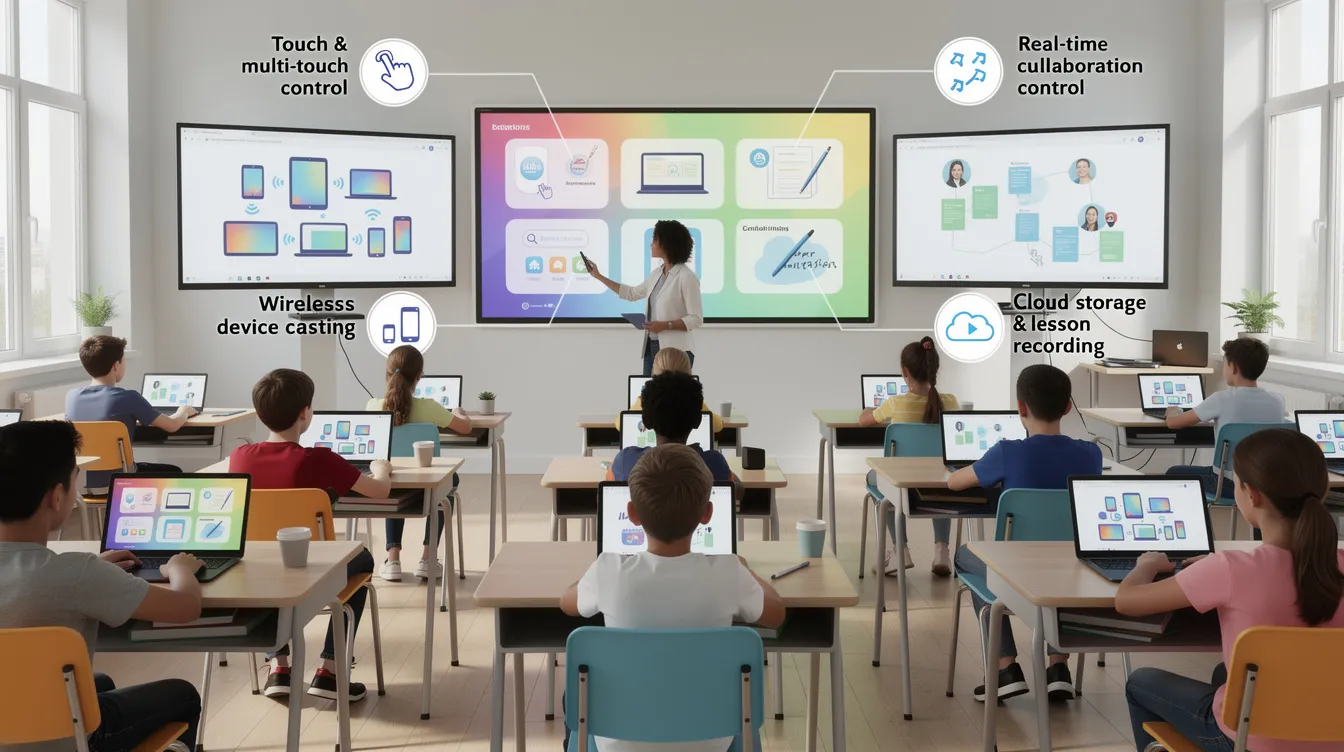
Interactive screens are packed with features that make them ideal for educational environments. One of the standout features is the ability to recognize multiple touch points, allowing multiple users to interact with the screen simultaneously. This multi-user interactivity fosters a collaborative learning environment where students can work together on projects and activities directly on the screen and apply effective teaching methods to motivate students. Manufacturers regularly introduce new features through automatic over-the-air software updates, ensuring the technology remains current, secure, and aligned with the latest educational needs.
Another essential feature is split-screen capability, which enables multitasking and enhanced content sharing. SMART displays, for example, offer wireless screen sharing from any device, making it easy for students to share their work with the class. These collaboration and screen sharing features enable seamless collaboration among students and teachers, making group work and interactive lessons more effective and engaging. Interactive screens can also operate independently without needing a PC connection, which is particularly useful for remote access and learning.
Security is another critical aspect, with many interactive displays offering centralized management features to monitor usage and protect data. High-resolution 4K displays ensure that visual content is clear and engaging, further enhancing the learning experience. These features collectively make interactive screens a perfect product for modern classrooms, supporting a wide range of educational activities and teaching methods.
Technical Specifications
When selecting interactive technology for your teaching environment, technical specifications are key to maximizing effectiveness and user satisfaction. Interactive touch screens now feature advanced capabilities such as pressure sensitivity and bonded glass, allowing for precise, real-time annotation and a natural writing experience. These features support multiple users interacting with the screen simultaneously, making them ideal for collaborative learning and for implementing active learning lesson plans and group activities.
Schools and businesses can benefit from leasing options, making it a cost-effective way to introduce cutting-edge technology without a large upfront investment. Google EDLA certification is another important consideration, ensuring seamless integration with Google Play, Microsoft Office, and other essential teaching tools. This certification guarantees that your interactive touch screens will work smoothly with the digital tools your school already relies on, supporting a seamless teaching and learning experience. By focusing on these technical specifications, schools can choose interactive screens that are robust, user-friendly, and perfectly suited to the needs of modern classrooms.
Installation and Setup Services
Proper installation and setup are crucial to maximizing the benefits of interactive screens. Classroom365 offers free site surveys to assess the specific needs of your space and ensure optimal placement of the displays. Safety is a priority during installation, as these devices can be quite heavy, often exceeding 50 kg. To minimize disruption, installations can be scheduled during weekends, ensuring that teaching activities are not affected.
Classroom365’s installation team consists of in-house employees, ensuring that the setup is handled by trained professionals rather than third-party contractors. The installation process includes thorough testing and configuration of the software to ensure that the interactive screen is fully functional, including integration with Microsoft Teams and alignment with engaging classroom layout ideas. Each project concludes with a sign-off process, confirming that the work meets the school’s requirements.
Post-installation support is also available, providing ongoing technical assistance to address any issues that may arise. This support is crucial for schools to effectively implement and maintain their interactive screens, ensuring a smooth and productive learning environment.
Interactive Screen Software
The software that powers interactive screens is just as important as the hardware. Educational software like teaching software, SMART Notebook, Lumio, Promethean ActivInspire, and Clevertouch.
are commonly used and provide all the tools for lesson creation and delivery. These tools enable teachers to create interactive lessons that engage students and enhance the learning experience.
Collaboration features are a significant advantage of interactive screen software, supporting cloud connectivity for remote teamwork and content sharing. These features are particularly beneficial for remote learning, as they allow students to participate in lessons from anywhere. Screen sharing and collaboration tools are integral to making remote learning as effective as in-person education.
Interactive touch screens also centralize educational content, making it easy for teachers to access and manage learning materials and draw from top teacher resource websites. Pre-loaded content and customizable templates save time for educators, allowing them to focus more on teaching and less on preparation. With these software tools, interactive screens transform classrooms into dynamic and interactive learning environments.
Success Stories from Schools
Real-world success stories highlight the transformative impact of interactive screens in education. At Heaton St Barnabas’ CE Primary School, the installation of interactive touchscreens in all classrooms has significantly enhanced learning. Teachers at this school use interactive games on the screens to engage students in various subjects, making lessons more interactive and enjoyable.
The introduction of interactive displays has led to increased student motivation and engagement in lessons. Students are more eager to participate and collaborate, benefiting from meaningful connections in the classroom and resulting in improved learning outcomes.
These success stories from schools demonstrate the potential of interactive screens to revolutionize education by fostering a more engaging and collaborative learning environment.
Teacher Experience
Interactive displays have revolutionized the teaching environment, empowering teachers to deliver more engaging and effective lessons. With access to a wide range of digital tools, teachers can create, write, and interact with students in ways that were previously impossible, strengthening their teacher presence for greater student engagement. The SMART Board, for example, offers dynamic features that allow teachers to collaborate with students in real time, annotate directly on the board, and seamlessly integrate multimedia resources into their lessons.
Integration with platforms like Google Classroom and Microsoft Teams further enhances the teaching experience, enabling teachers to share resources, assign tasks, and monitor student progress with ease. Tools such as Clevertouch Impact provide a comprehensive range of accessories and features, allowing teachers to tailor their approach to the needs of each class and sustain teacher motivation for educational success. By leveraging these interactive tools, teachers can foster a more interactive, collaborative, and engaging classroom environment, ultimately supporting better learning outcomes for all students.
Student Experience
For students, interactive touch screens and digital tools open up a world of engaging, hands-on learning opportunities. These technologies allow students to interact directly with lesson content, collaborate with peers, and participate in group projects using features like video conferencing and seamless access to resources. With platforms such as Google Drive, students can easily access assignments, submit work, and organize their learning materials from any device.
Interactive whiteboards and digital signage further enhance the classroom experience by making lessons more immersive and visually stimulating. Whether working individually or as part of a group, students benefit from a learning environment that encourages creativity, critical thinking, and active participation. By integrating interactive touch screens and digital tools, schools can create a more engaging and supportive environment that helps every student reach their full potential.
Cost Considerations and Budgeting
While the initial investment in interactive displays can be significant, the long-term benefits often outweigh the costs. A 65-inch interactive touch screen can range from £1,000 to £1,500, but significant educational discounts are available for schools. These discounts can make the technology more accessible and affordable, helping schools to integrate interactive screens into their classrooms.
Financial options like leasing programs can also help manage the initial costs, spreading the expense over a more extended period. Despite the higher upfront costs, interactive displays are cost-effective in the long run by reducing the need for paper and consolidating various devices into one multifunctional tool.
Investing in interactive screens is an investment in the future of education, providing long-term savings and improved teaching and learning experiences.
Advantages of Interactive Screens in Education
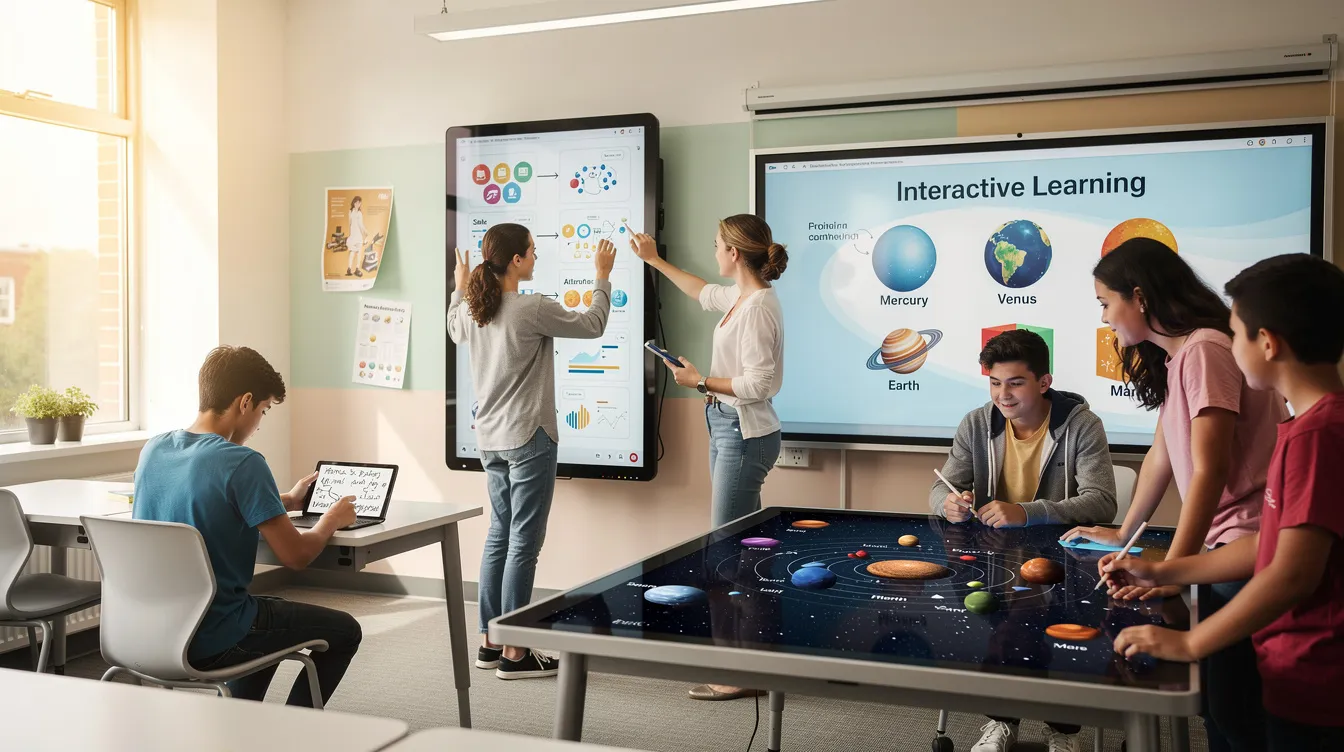
Interactive screens offer numerous advantages in educational settings. They enhance student participation by enabling hands-on learning experiences, which are more engaging and effective than traditional methods. These screens support multisensory learning, appealing to various learning styles and improving retention. Features like multiple simultaneous touchpoints facilitate collaborative learning, allowing students to work together on interactive tasks.
Interactive displays are not only beneficial for students but also for teachers. They reduce costs by eliminating the need for replacement bulbs and other consumables associated with projectors. Their low maintenance and reliability make them suitable for consistent use in classrooms. Training resources are often provided to educators, ensuring they can effectively use the technology to create better learning environments.
Inclusivity is another significant advantage, with interactive screens offering features tailored for students with disabilities, ensuring that all students can participate in the learning process within a positive classroom culture. These benefits make interactive screens a valuable addition to any educational setting, enhancing the overall teaching and learning experience.
Interactive screens are also widely used in meeting rooms and business environments, where they enhance collaboration and productivity in professional settings.
Measuring Success
Evaluating the impact of interactive tools is essential for ensuring they deliver real value in the classroom. Success can be measured by tracking student engagement, monitoring academic progress, and assessing improvements in learning outcomes. Interactive tools like SMART Boards and Clevertouch Impact offer built-in features that allow teachers to track participation and assess student understanding in real time.
Digital tools such as Google Classroom and Microsoft Teams provide valuable analytics and insights, helping teachers refine their teaching strategies and better support student needs. By leveraging these features, educators can create a more engaging and effective learning environment, ensuring that every student benefits from the latest advancements in interactive technology. Ultimately, measuring success helps schools make informed decisions about future investments and continuously improve the quality of education they provide.
Addressing Common Concerns
Despite their benefits, interactive screens come with some concerns. The primary disadvantage is their cost, which can be a significant initial investment for schools. However, choosing a reputable technology partner can help avoid hidden costs and ensure that the investment is worthwhile. Interactive screens are designed to consume minimal energy, reducing operational costs over time.
Security is another critical concern, especially with features that allow remote monitoring and control of the displays. Ensuring that these systems are secure and data privacy is maintained is essential for their safe use in classrooms. Addressing these common concerns can help schools make informed decisions and confidently integrate interactive screens into their educational frameworks.
Future Trends in Interactive Classroom Technology
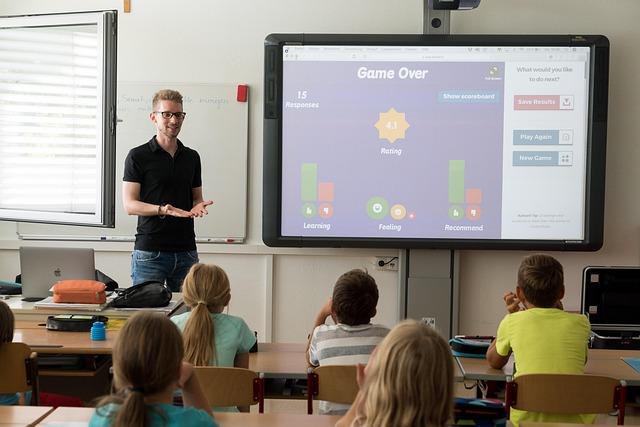
The future of interactive classroom technology looks promising, with emerging trends set to transform the learning experience. Industry-leading upgradability allows SMART Boards to continually evolve, incorporating the latest technological advancements and ensuring they remain relevant. Virtual and augmented reality technologies are anticipated to enhance engagement by simulating real-world scenarios, offering immersive learning experiences.
The integration of advanced technologies like AI and VR into interactive screens promises to revolutionize classroom interaction and student learning. These advancements will not only improve the quality of education but also make learning more engaging and effective. As these technologies continue to develop, the potential for interactive screens in education will only grow, paving the way for a more interactive and collaborative learning environment.
Interactive screens have revolutionized the way education is delivered, offering a multitude of benefits that enhance student engagement and collaboration. From selecting the right screen and understanding its features to installation and software use, these tools have become essential in modern classrooms. Real-world success stories and practical advice on budgeting underscore their value and feasibility.
As we look to the future, the integration of emerging technologies like AI and VR promises to further transform the educational landscape. By embracing interactive screens, schools can create more dynamic and inclusive learning environments, preparing students for the challenges and opportunities of tomorrow.
For more information, to request a demo, or to contact us about interactive screens for classrooms, please visit our dedicated page.
What is the recommended screen size for a regular-sized classroom?** – **?
The recommended screen size for a regular-sized classroom is 75 inches, ensuring optimal visibility for all students. This size facilitates effective teaching and enhances the learning experience.
Are there any financial options to manage the cost of interactive screens?** – **?
Yes, schools can effectively manage the cost of interactive screens by utilizing educational discounts and exploring leasing programs. These options can significantly reduce the financial burden associated with the initial purchase.
How do interactive screens support remote learning?** – **?
Interactive screens enhance remote learning by enabling screen sharing and real-time collaboration, fostering active participation and engagement from students regardless of their location. This technology creates a more connected and interactive educational experience.
What are some of the common software options for interactive screens?** – **?
Common software options for interactive screens include SMART Notebook, Lumio, Promethean ActivInspire, and Clevertouch, all of which support effective lesson creation and delivery. Choosing the right software can enhance engagement and learning outcomes.
What are the benefits of using interactive screens in education?** – **?
Using interactive screens in education significantly boosts student engagement and supports multisensory learning, making them an essential tool for enhancing the learning experience. Additionally, they provide cost-effective solutions and inclusive features for students with disabilities.